
Designing the Driver Override for AI Dispatch Software
Last updated: August 5, 2026
Approval gates, confidence-based escalation, and review queues all describe the same direction: the AI produces something and hands it to a person. There's a fourth moment that shows up constantly in logistics AI and rarely gets named on its own — the human taking back a decision the AI already made, in the field, often on a phone, sometimes with no signal at all.
A dispatch AI assigns a driver's next stop. The driver can see the loading dock is closed, or the customer isn't home, or the road is blocked — something the system has no way to know yet. The override isn't a rare edge case. It's the mechanism by which the system finds out it was wrong.
The no has to be as easy as the yes
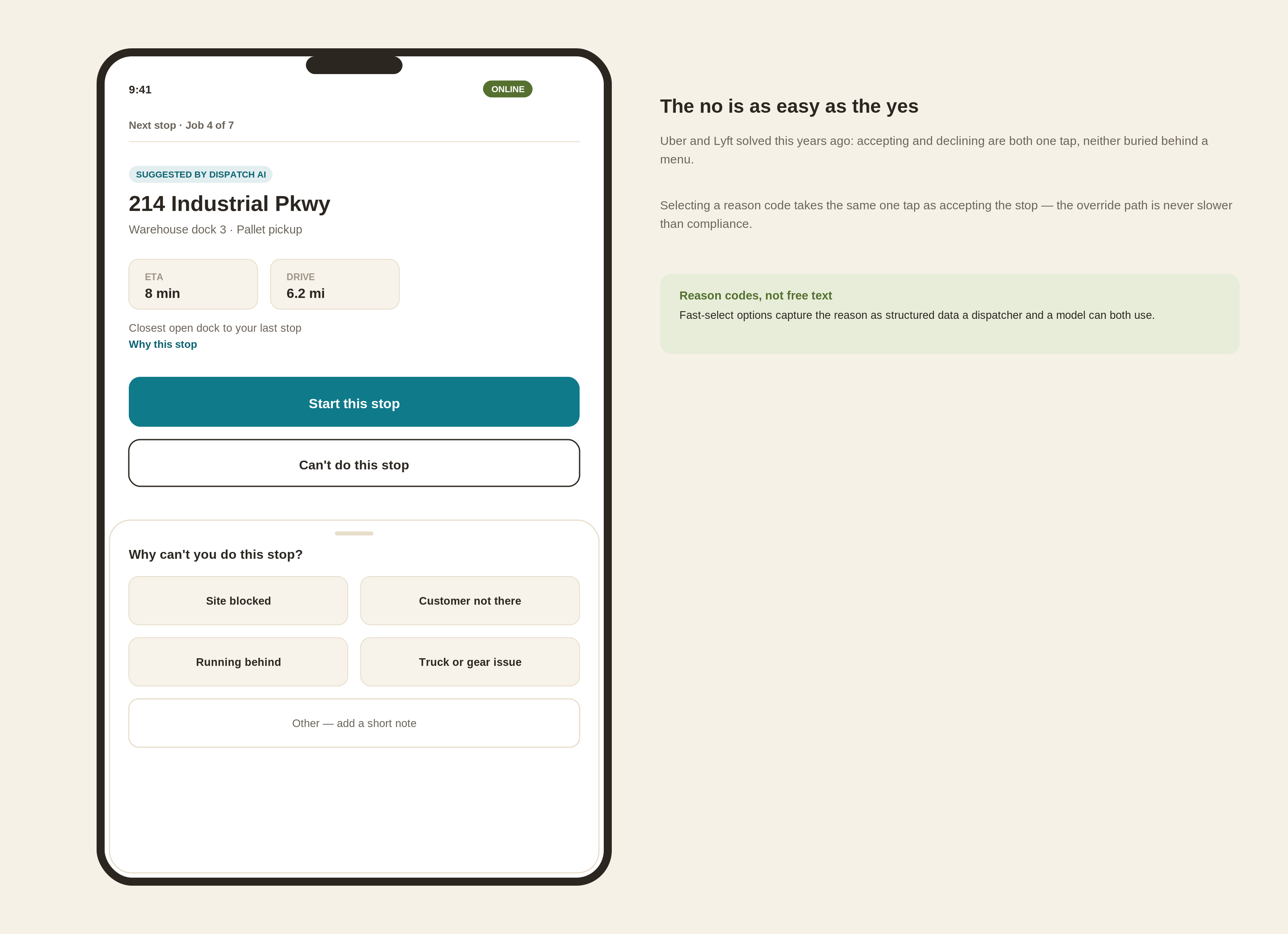
Uber and Lyft solved the baseline version of this years ago: a driver gets a request and can tap "No thanks" as readily as they can accept it. Neither action is buried behind a menu or a confirmation dialog.
That symmetry matters as people always take the least resistent path. If accepting an AI's suggestion is one tap and rejecting it takes three, drivers start complying with suggestions they know are wrong, because overriding costs more than going along with it. Once that happens, the system stops finding out when it's made a bad call, and the gap between what the AI thinks is happening and what's actually happening on the ground quietly widens.
The reason is the product, not an afterthought
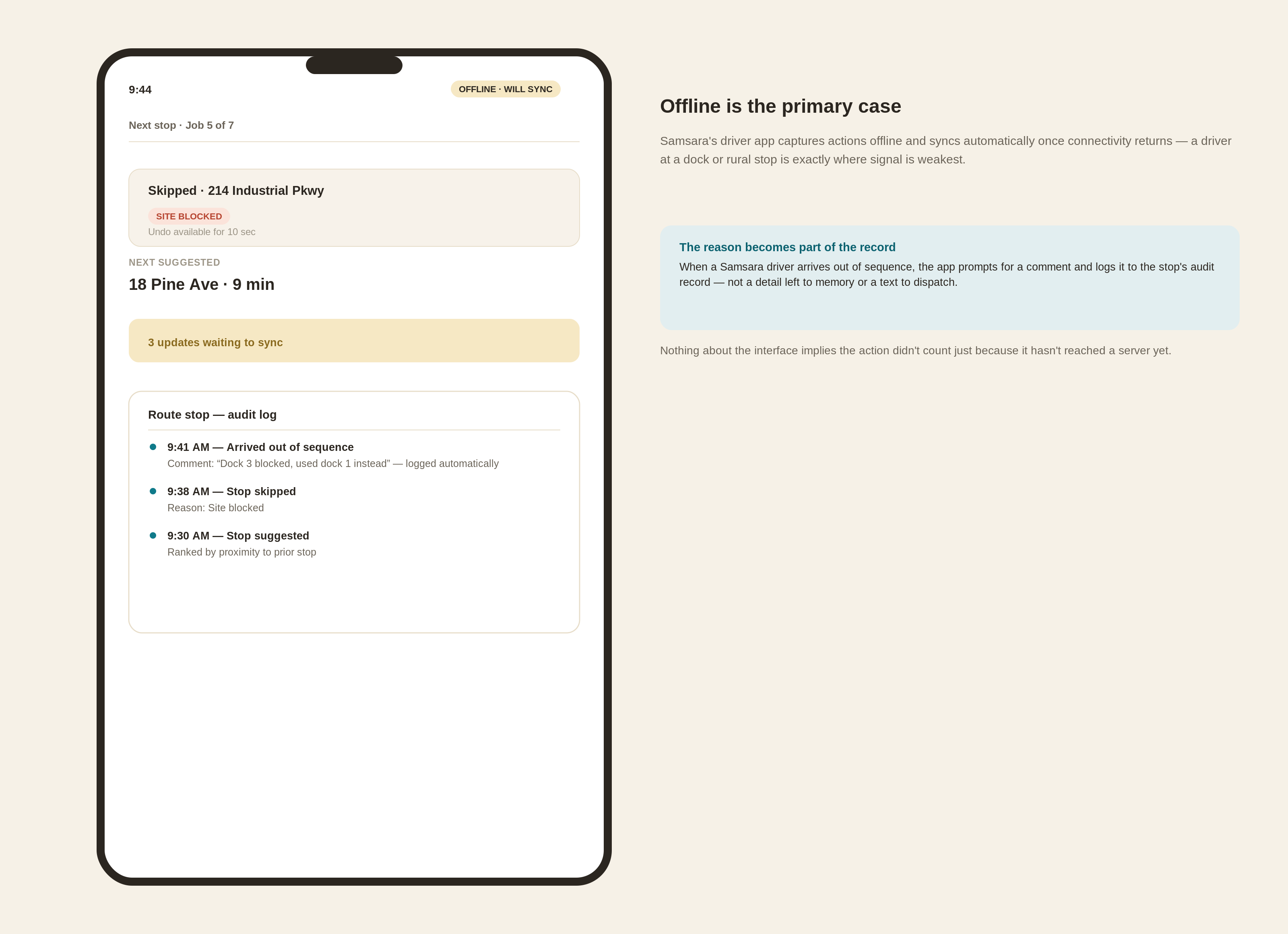
Samsara's driver app has a specific, real version of this worth studying directly: when a driver arrives at a route stop out of the sequence the plan assigned, the app doesn't just let it pass silently. It prompts the driver for a short comment explaining the change, and logs that comment along with the arrival to the stop's audit record. The deviation and the reason for it become part of the permanent record of that route, not a detail that lives only in the driver's memory or a text message to dispatch.
That's the right instinct for any override, not just an out-of-sequence arrival. The reason a driver rejects a suggested stop is close to the most valuable data the product collects — it's how a dispatcher understands what actually happened, and it's the signal a model needs to get better at the next suggestion. The design implication is to capture the reason as structured data a system can act on, not a free-text field that becomes a comment nobody reads until something goes wrong. Fast-select reason options with an optional note for anything unusual gets a driver back to work in seconds while still producing something dispatch and the model can use.
Offline is the primary case, not the edge case
Samsara's app also handles the connectivity gap directly: actions taken offline are captured locally and sync automatically once the connection returns. That's not a minor resilience feature. A driver is disproportionately likely to lose signal at exactly the places an override matters most — a warehouse dock, a rural delivery, the bottom of a parking structure. A screen that requires a live connection to register a skip or an override will fail precisely when it's needed, and a driver who's learned that the app doesn't work at the loading dock stops trusting it everywhere else too.
The design requirement is specific: the screen has to remain fully usable with no connection, every action queues locally with a clear but calm "will sync" indicator, and nothing about the interface implies the action didn't count just because it hasn't reached a server yet.
What to watch for
The process of an override that turns into a support ticket — the driver has to call dispatch and someone manually updates a backend tool — only gets used by the most motivated drivers. Everyone else just follows the suggestion they know is wrong, and the model never learns it was wrong either.
The override path needs to be as fast and as native to the app as the acceptance path, or it stops functioning as an override at all.
faqs
Sources
Samsara — Out-of-Sequence Arrival Notifications (kb.samsara.com)
Samsara Driver App User Guide (samsara.com)
Uber Help — My driver refused my destination (help.uber.com)